
Entrian Inline Watch
As you debug, Entrian Inline Watch displays the values of variables inline in your source code, updated live as you step through your code:
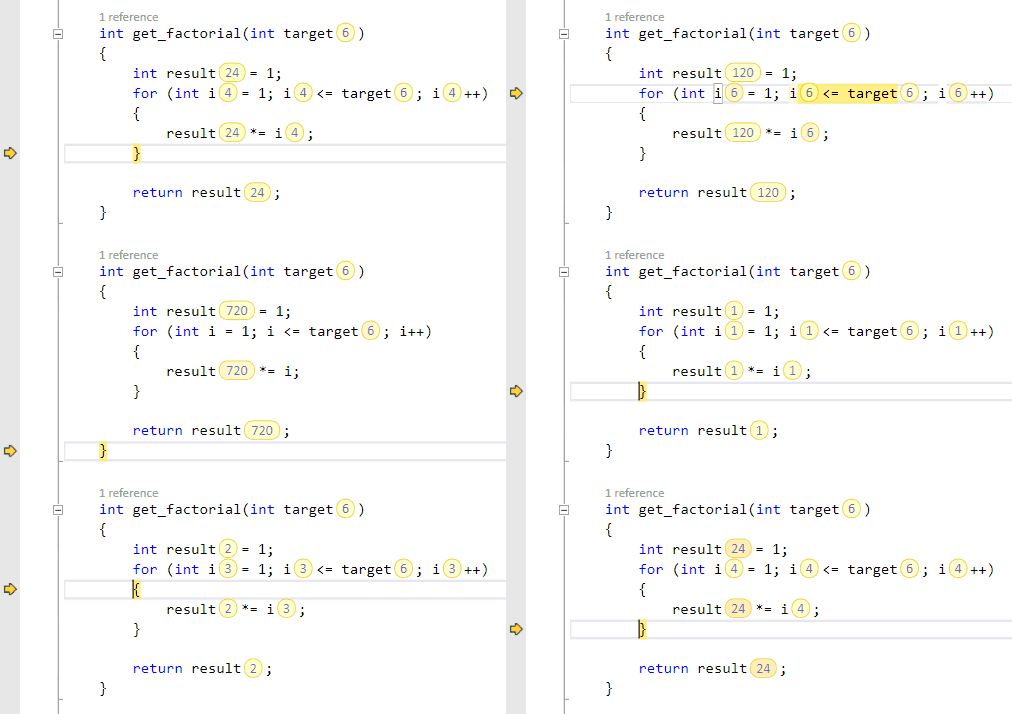
You can see the live values right there in the source, rather than having to hover over them with the mouse, or find them in the Watch windows.
As soon as you land in a function, or at a breakpoint, you can see the values of your function parameters and variables.
It’s not just for primitive values like numbers and strings - you control how your classes and structures are displayed, eg. a BankAccount instance could display its name and balance: Bob: $123
You can also configure how accessor functions are displayed, so that a call to an accessor function, like account->balance(), can display as $123
Configuration
Entrian Inline Watch adds two commands to your Tools menu:


The “Toggle display” command, which is bound to the Shift+Alt+W hotkey by default, switches the display of values off and on. The “Configuration…” command shows the configuration dialog.
Compatibility
Entrian Inline Watch works with Visual Studio 2012, 2013, 2015, 2017, 2019, 2022, and 2026 (any edition except Express).
It works with both Managed debugging and Native debugging; in C, C++, C#, and VB.