
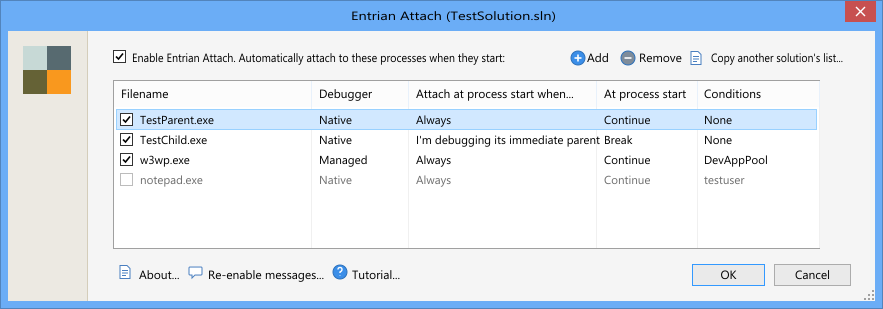
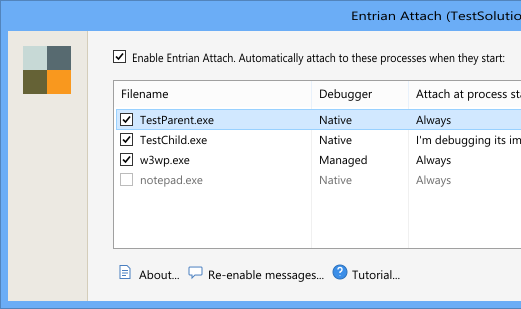
Attach to processes as they start
Attach the debugger automatically to processes the moment they start, however they're started. Services, web servers, DllMain, unit tests, setup custom actions, anything you like. Attachment happens directly on process creation, not by polling.
Web server debugging
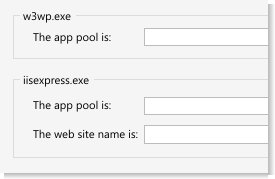
Attach automatically to particular web servers, only for specific web sites or specific application pools. Entrian Attach understands how to attach to w3wp.exe (IIS) and iisexpress.exe for specific sites and app pools, and lets you attach only to the ones you're interested in.
Conditional attachment
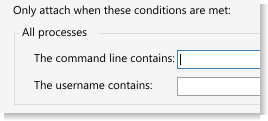
Entrian Attach lets you set conditions for which processes will be debugged. For example, you can attach only to processes belonging to a particular user, or only to those whose command line contains a particular string.
Automatic child process debugging
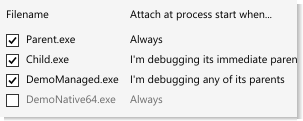
Automatically debug child processes as they start. When application Parent.exe starts Child.exe, the Visual Studio debugger attaches instantly to Child.exe, and optionally to any grandchild processes as well.
One-click attach to running processes
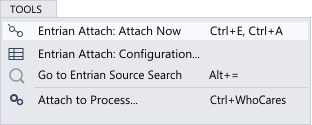
As well as being able to auto-attach to new processes, the "Attach Now" command attaches to the set of processes you're interested in with a single command. No more digging through Visual Studio's "Attach to process" dialog.